mercoledì 19 giugno 2013

COMPARISON: Rokinon vs Canon 24mm Tilt Shift Lens

’ve been hearing good things about the image quality of Rokinon lenses lately, so I thought I’d give one a try using tilt-shift lenses (defined) since those are so expensive from Canon that they are cost prohibitive to most of my readers (myself included). Would the Rokinon equivalent lens really be in the same league when it cost $1000 USD less (at the time of this writing with Canon rebate)?

Using a Tilt Shift as a Regular Lens

These are two really sharp and nice lenses. While the tilt and shift features will prove handy, you can also really enjoy them as just a regular 24mm lens. Both offered super sharp results with no adjustments at all:

Canon EOS 5D Mark III, f/8 w/ Canon TS-E 24 mm, 3.2s, ISO 100, No Flash

Canon EOS 5D Mark III, f/8 w/ Rokinon TS-24mm, 3.2s, ISO 100, No Flash
It was raining when these shots were taken and I was holding an umbrella to protect the lenses, so I didn’t bother to do a shift to correct the perspective. This is pretty much how these quick snapshots came out of the camera with the only variable was the lens swap. The difference in framing was probably due to me bumping the tripod a bit, but both seemed to perform great in my opinion.

Using a Tilt Shift for Perspective Control

Here’s a tough real world environment where distortion reigns supreme:

Canon EOS 5D Mark III, f/10 w/ Canon TS-E 24 mm, 1/25, ISO 100, No Flash
By doing a simple upward shift and re-composing the camera I can correct the distortion of the trees that are currently leaning inward:

Foreground corrected with an upward shift and recompose (Canon)
Now my trees look better. The building in the background is still off a bit due to my angle which is one of the challenges of being at this level. I can correct the trees or the building, but not both unless I get myself higher up where everything is level on the same plane (instead of the angle that I am now).
Here’s another example of that challenge as I take a shot of multiple objects that are on a slope (and the art object is actually not straight in real life which creates more challenges):

Canon EOS 5D Mark III, f/10 w/ Rokinon 24mm, 1/8, ISO 100, No Flash
We are used to looking at images like this so at first things seem okay. If we shift and recompose we can fix the tree on the left to make it nice and straight as shown here:

Left tree corrected, but art object is now worse

Art object corrected, but trees are worse than the original
To avoid these types of problems you should stay on the same plane as your subject when making your correction, and try to have all of your subjects on the same plane a well (if possible). See the bookshelf example below for a demo where one adjustment fixes all the problems.

Physical Differences

Physically you can tell where the money difference goes, but surprisingly the Rokinon didn’t feel like a cheap lens. It has more substance and quality feel than a typical Canon EF-S lens, but the devil is in the details. The Rokinon may have a red ring, but it’s no pro lens by any stretch of the imagination!
The Rokinon lacks contact points, so the aperture must be set on the lens instead of through the camera
The Rokinon (right) lacks contact points, so the aperture must be set
on the lens instead of through the camera
I hated the controls on the Rokinon quite a bit because they were tiny, hard to grip, very cheap feeling, and overly tight to rotate – yet the lens slipped out of position easier. It also drove me insane that it lacks a red dot on the top of the lens (instead it’s on the silver edge of the mount). This made it very difficult to get this lens on at night without a flashlight.
The Rokion has a slightly larger lens bulge which made it more prone to lens flare, and it doesn't come with a lens hood like the Canon
The Rokion (right) has a slightly larger lens bulge which made it more prone to lens flare,
and it doesn't come with a lens hood like the Canon
Canon (left) has an advantage of bigger knobs that lock down better
The cheapo gray knobs on the Rokinon (right) sucked - a lot - in real world use
Some will like that the Rokinon had a pinch lens cap like Nikon (and now Canon offers on some newer lenses).

Bookshelf Test

For my first test, with the camera placed on the tripod and doing a typical bookshelf shot like readers of this blog are used to seeing, I then did the following adjustments (in clockwise order starting with the top left image):
  1. Full shift up – no re-focus
  2. Full shift left – no re-focus
  3. Full shift right – no re-focus
  4. Full shift down – no re-focus
The objective of this test was to just compare how the light, bokeh, and focus were impacted by the shifts. To eliminate variables, all images were shot at f/8 @24 mm, 25s, ISO 100, and No Flash using a Canon 5D Mark III. The results are impossible to interpret unless you zoom to 100%, but here’s a single 12000x8000 pixel file for both lenses to help speed up the comparison. Individual files are also available at http://photos.ronmartblog.com/lenses/24mmtiltshiftcompare.

Canon Tilts & Shifts - Click and view at 100%

Rokinon Tilts & Shifts - Click and view at 100%

100% Comparison - NO SHIFT, Canon (left) & Rokinon (right)
Click for a larger image
For fun I decided to take a shot with my Canon 24-70 f/2.8L II lens and then swap lenses using the same exact position for a no-shift comparison of these lenses against each others and a benchmark lens. You can see a 100% crop above, and here’s a link to the Canon TS-E 24mm image and the Rokinon TS 24mm image for additional review.
What I found was that the Canon was slightly brighter and better at the edges over the Rokinon, but otherwise they were both excellent lenses that compared favorably to the non-tilt shift lens.
Practical Shift Test
I don’t care much about the tilt feature of a tilt shift lens, but I do like it for shifting to perform perspective control. To limit the variables, I once again used the same bookshelf setup and camera settings to simulate a scenario that required shifting the lens to correct distortion.

Canon (shown with hood) - Practical Shift Test
Click to view at 100%

Rokinon - Practical Shift Test
Click to view at 100%
I had a minor angle error in my Rokinon shot, but it didn’t impact my conclusion. Both lenses did a great job after making an upward shift, a camera angle adjustment to re-compose, and a re-focus.

Conclusion

My overall conclusion was that you have to look pretty hard to see the differences, so the Rokinon impressed me quite a bit. Really all that I could fault the Rokinon for was a seemingly inferior bokeh and the fact that it was a little darker.  Sure, the Rokinon controls are garbage but they work so if you are gentle on your gear it should probably be fine. Image quality wise I’d call it “as good as” Canon, so there’s a lot you can do with that extra $1000 (like pick up other Rokinon lenses). Personally, I’ll just rent from
Tilt-shift lenses aren’t for everyone since they can be very tricky to use. Manual focus will be bothersome to some, but the real gotcha is the recompose requirement and exposure challenges once a tilt or shift has occurred. This is a pro users lens for sure, but it can be super rewarding too if you spend some time with it. It’s also a must for architecture because as good as the tilt shift correction is in Lightroom (especially 5) and Photoshop, you get more depth of field out of doing it in camera than you do when you correct the perspective in post-processing.

Westcott Rapid Box

News image

The Westcott Rapid Box is a new range of portable Speedlite Softboxes with adjustable flash bracket and carry case. Constructed from solid aluminium to minimise weight, yet retain durability, each Rapid Box opens and closes like an umbrella, with no need for support rods or adapter rings. The line-up includes two octagonal softboxes, a stripbox and a deflector plate, with prices ranging from £23 to £180.
Press Release
JP DISTRIBUTION IS EXCITED TO ANNOUNCE THE INTRODUCTION OF RAPID BOX BY WESTCOTT
The Rapid Box is a new range of portable Speedlite Softboxes with adjustable flash bracket and carry case. Constructed from solid aluminium to minimize weight, yet retain durability The Rapid Box opens and closes like an umbrella, no support rods or adapter rings are needed, everything is compact and easy to use. The optional screw-in deflector plate will minimize any hot spots and the front diffusion material is the same quality as found on Westcott’s current high-quality softboxes.
FEATURES INCLUDE:
• Reflective silver durable framework
• Provides soft and evenly reflected light
• Extremely portable and lightweight design
• Opens and closes quickly like an umbrella
• Height-adjustable and rotatable tilt bracket
RANGE
The Rapid Box 20” Octagonal Mini
JP Code: 860419
SRP: £160 inc VAT
The Rapid Box 26” Octagonal
JP Code: 860420
SRP: £180 inc VAT
The Rapid Box 10” x 24” Strip
JP Code: 860421
SRP: £180 inc VAT
The Rapid Box Deflector Plate
JP Code: 860418
SRP: £23.00 inc VAT
ABOUT WESTCOTT
With roots dating back to 1899, the F.J. Westcott Co. is currently a leading innovator of photo-video lighting solutions for professionals and enthusiasts. We proudly team up with top industry pros to educate and inspire our customers throughout the globe through live shootout events, seminars and more.

Samyang 300mm f/6.3 ED UMC CS Mirror Lens

News image

The Samyang 300mm f/6.3 ED UMC CS is a small-size, manual focus, reflex lens for compact system cameras. The optical structure features 9 elements arranged in 6 groups, including one ED-type lens ensuring high contrast and effectively preventing chromatic aberration. Available from July for Sony E, Fujifilm X, MFT and Canon M mounts, the Samyang 300mm f/6.3 ED UMC CS has a suggested retail price of £289.99. In addition, the company has re-announced the Samyang 16mm f/2 ED AS UMC CS lens, which will be offered for £419.99 (or £459.99 for the Nikon version).
Samyang Press Release
Samyang announce 2 new lenses
Following the launch of the new Samyang 24mm Tilt and Shift lens earlier this year, Samyang have just announced the addition of two more lenses to their product range.
July will see the launch of a 16mm f/2.0 wide-angle lens and a 300mm f/6.3 reflex lens, both products dedicated for digital SLRs and mirrorless compact cameras equipped with APS-C sensor.
Precise wide angle - 16mm f/2.0 ED AS UMC CS
The new Samyang 16mm f/2.0 ED AS UMC CS is a manual-focus lens featuring an optical construction of 13 elements arranged in 11 groups, including one ED-type lens with an extra low dispersion ratio, one optical glass aspherical lens and one hybrid aspherical. The lenses have multi-layer anti-reflective UMC coating that ensures very good light transmission. The lens is available in the following mounts: Canon EF and M, Nikon F, Sony A and E, Pentax K, Fujiifilm X, Samsung NX, MFT and Four Thirds.
The Nikon version features a CPU that allows electronic aperture control for auto exposure and i-TTL flash exposure.
Light compact mirror – Samyang 300mm f/6.3 Reflex
The Samyang 300mm f/6.3 ED UMC CS is a small-size, manual focus, reflex lens for mirrorless compact cameras. The optical structure features 9 elements arranged in 6 groups, including one ED-type lens ensuring high contrast and effectively preventing chromatic aberration. With its long focal length, small size and weight of only 315g, this lens is a perfect companion for both landscape and nature photography. Available Sony E, Fujifilm X, MFT and Canon M.

Lenses will be available from July with suggested retail prices as follows:
Samyang 16mm f/2.0 ED AS UMC CS = £419.99 inc VAT
Samyang AE 16mm f/2.0 ED AS UMC CS for Nikon = £459.99 inc VAT
Samyang Reflex f/6.3 300mm ED UMC CS = £289.99
For further details please contact Intro2020 on 01628 674411 or visit the Samyang website at: http://www.samyang.co.uk
facebook.com/SamyangUK

Major ControlTL Firmware Update from PocketWizard

News image

LPA Design has announced a major update to its ControlTL formware for the PocketWizard MiniTT1, FlexTT5, PowerMC2 and PowerST4 devices and minor updates for the Plus III and MultiMAX radios. The new ControlTL firmware, available as a free download using the Pocket Wizard Utility, provides compatibility with several new Canon and Nikon cameras, greatly improves the performance of PocketWizard’s exclusive HyperSync feature and resolves bugs in previous versions. The new firmware for the Plus III resolves some minor bugs.  The MultiMAX firmware, which has been available for a while in beta, adds two new features. Do note that PocketWizard Utility version 1.54 or newer is required before installing these updates.
LPA Press Release
PocketWizard Photo Products Announces Major ControlTL® Firmware Update

Free update provides compatibility with several new cameras and dramatic improvements to HyperSync®, further removing the barrier to x-sync limitations.
So. Burlington, VT – June 12, 2013 – LPA Design, manufacturers of PocketWizard Photo Products, the world leader in wireless control of cameras, flash lighting and light meters, announces today a major update to its ControlTL firmware for the MiniTT1®, FlexTT5®, PowerMC2 and PowerST4 radios and minor updates for the Plus® III and MultiMAX® radios.

The new ControlTL firmware (version details below) provides compatibility for several new Canon and Nikon cameras, greatly improves the performance of PocketWizard’s exclusive HyperSync feature and resolves bugs in previous versions.  It is available now as a free download using the PocketWizard Utility and it is strongly recommended that all current owners of the MiniTT1, FlexTT5, PowerST4 and PowerMC2 update all their radios to the latest firmware for best performance.  Any current owner of the ControlTL system can easily install this version via USB connection and update their PocketWizard radios for free. Complete details are available at the PocketWizard website here.

The new firmware includes complete compatibility for the Nikon D600 and D3200 cameras and manual power control compatibility for the Canon EOS 6D, EOS-1D X and EOS Rebel T4i cameras.

In addition to the new camera compatibility, this new firmware version offers significantly improved HyperSync flash performance. This exclusive feature offers photographers the ability to use studio flash well beyond their camera’s normal x-sync speed, for greatly expanded creative control.

“Our PocketWizard HyperSync technology has redefined studio flash photography for those working outdoors,” said Dave Schmidt, Vice President of Marketing at LPA Design, the company that manufacturers PocketWizard Photo Products. “When photographers can go beyond the normal x-sync shutter speed limitation of 1/200 second or so, they can create an entirely new look whether they need to reduce ambient light to achieve shallow depth-of-field, or freeze action, or both, photographers can now do so quickly, simply and with more creative control than ever before.”

Adventure photographer Tom Bol has been using the new firmware in beta version for the past month and had this to say about the latest version, “Performance with the new software in my MiniTT1, FlexTT5 and ST4s is remarkable.”  You can read more about what Tom had to say on the ProPhotoCoalition website.

Any owner of PocketWizard MiniTT1, FlexTT5, PowerMC2 or PowerST4 can benefit from the latest firmware.  This release also includes several bug fixes found in earlier versions. “Downloading and installing the latest firmware is one of the simplest and smartest things a creative photographer can do,” Schmidt added.  “We’ve designed our products to be reliable and upgradable because it allows owners of PocketWizard radios to keep their equipment up-to-date as new cameras, flash units and features are introduced.” 

The Plus III and MultiMAX radios also have new firmware.  The new firmware for the Plus III resolves some minor bugs.  The MultiMAX firmware, which has been available for a while in beta, adds two new features.

PocketWizard Utility version 1.54 or newer is required before installing these updates. For more information on the latest firmware versions and how to update PocketWizard products via USB connection visit: http://www.pocketwizard.com/support/downloads/

The latest firmware versions are:
6.400 for the MiniTT1 and FlexTT5 for Canon
3.400 for the MiniTT1 and FlexTT5 for Nikon
5.400 for the PowerST4
2.400 for the PowerMC2
1.200 for the Plus III
7.51 for the MultiMAX
About PocketWizard
Incorporating the latest radio technology, PocketWizard radio triggers exceed the demands of the professional and serious amateur photographer with durability, ease of use, advanced capabilities and legendary reliability.  PocketWizard products, including the PlusX, PLUS III, PLUS II, MultiMAX, MiniTT1 and FlexTT5 are made by LPA Design, based in South Burlington, Vermont and sold by distributors around the world including the MAC Group in the USA.

Lastolite Ezybox II Fabric Grids

News image

Manfrotto Lighting has launched the new Lastolite Ezybox II Fabric Grids. The Lastolite Ezybox II Fabric Grids allow photographer to control light spill from a softbox, providig a controlled directional pool of light which can be positioned directly onto the subject without having to worry about light spilling on the background. The Fabric Grids are available in various sizes for the Ezybox II Square, Ezybox II Octa and Ezyboz II Switch. Pricing ranges from £44.10 to £130.00.
Press Release
Manfrotto Lighting Limited Announce Lastolite Ezybox II Fabric Grids
June 13th 2013 Manfrotto Lighting Limited, the world’s leading manufacturer of backgrounds and lighting control systems for the photo, video and cinema industry, announces the release of the new Lastolite Ezybox II Fabric Grids.
The Lastolite Ezybox II Fabric Grids are an essential accessory which allow photographer to control light spill from a softbox. Favoured by many portrait photographers, the grid provides a controlled directional pool of light which can be positioned directly onto the subject without having to worry about light spilling on the background. The grids are extremely simple to fit using the Velcro strips on the inside of the Ezybox II softboxes. The nylon fabric construction also makes them a very durable and lightweight accessory which packs down into a small carry case when not in use. Each uniform and parallel 45° grid cell measure 50mm x 50mm x 50mm deep.
Ezybox II Fabric Grids are available for the Ezybox II Square, Ezybox II Octa and Ezybox II Switch softboxes.
Pricing and Availability:
The Fabric Grids are available in various sizes for the Ezybox II Square, Ezybox II Octa and Ezyboz II Switch:
Fabric Grids for Ezybox II Square – Small £44.10 inc VAT
Fabric Grids for Ezybox II Square – Medium £56.70 inc VAT
Fabric Grids for Ezybox II Square – Large £100.80 inc VAT
Fabric Grids for Ezybox II Octa – Medium - £130 inc VAT
Fabric Grids for Ezybox II Octa – Large - £113.40 inc VAT
Fabric Grids for Ezybox II Switch – Large Narrow - £63 inc VAT
Fabric Grids for Ezybox II Switch – Large Wide - £100.80 inc VAT
Fabric Grids for Ezybox II Square – XLarge Narrow - £63 inc VAT
Fabric Grids for Ezybox II Square – XLarge Wide - £113.40 inc VAT
For stockist information, please see: http://www.lastolite.com/distributors.php
Email:sales@lastolite.com
Telephone: 01530 832570
About Lastolite:

Lastolite are one of the world’s leading brands of backgrounds and lighting control equipment for the photographic and video industries.
Established in 1985, Lastolite started out with just a handful of employees and one product, the original 'pop up' circular reflector. Today the company is part of the Vitec Group PLC and employs over 80 people, operates from a 60,000 sq.ft. manufacturing facility and offers a comprehensive range of innovative, award winning products to over 60 countries worldwide.
Photography on the move and innovation are in the company's heart. Lastolite hold a number of worldwide patents for their products and their ongoing investment into research and development enables them to continue delivering ground breaking products to the In 2009, Lastolite founded the Lastolite School of Photography. Lastolite’s strategy for the School of Photography is to provide FREE OF CHARGE video and written tutorials for photographers on a monthly basis, building an ‘industry leading’ library of tutorials for existing users and photographers looking to buying one of their products.
For more information, please see:
Lastolite School of Photography
For all information on Lastolite products please see: http://www.lastolite.com

Lastolite RayD8 c5600 Continuous Lights

News image

Manfrotto Lighting is expanding the Lastolite RayD8 c5600 Continuous Lighting range. The Lastolite RayD8 c5600 range provides an entry-level studio lighting system for product and portrait photography. Featuring a high output compact fluorescent bulb (equivalent to 400W), this continuous light system offers colour corrected light at 5600 °K. Adding to the existing range of RayD8 c5600 products, Lastolite are now offering the product option of a single light head, extension tube, power cable and reflector (bulb not included) for£139.20.
Press Release
Manfrotto Lighting Limited Announce Extension of Lastolite RayD8 c5600 Range
June 13th 2013 Manfrotto Lighting Limited, the world’s leading manufacturer of backgrounds and lighting control systems for the photo, video and cinema industry, announces the extension of the Lastolite RayD8 c5600 Continuous Lighting range.
Adding to the existing range of RayD8 c5600 products, Lastolite are now pleased to offer the product option of a single light head, extension tube, power cable and reflector (bulb not included).
The Lastolite RayD8 c5600 range provides an entry-level studio lighting system for product and portrait photography. Featuring a high output compact fluorescent bulb (equivalent to 400w), this continuous light system offers colour corrected light at 5600k (daylight).
The bulbs are compact fluorescents and run at a low temperature, making them ideal for photographing food, people and other temperature sensitive subjects.
Pricing and Availability:
The new additions to the existing range of RayD8 c5600 products are available now at the below prices:
Colour corrected 85w fluorescent bulb - £35 inc VAT
1 x Light head, fluorescent extension tube, power cable and 25cm reflector - £139.20 inc VAT
Fluorescent Conversion Kit – Extension Tube & Fluorescent Bulb - £60 inc VAT
Fluorescent Extension Tube - £35 inc VAT
RayD8 c5600 Kit - £320 inc VAT

Canon EOS 650D Firmware Version 1.0.4

News image

Canon has posted a firmware update for its EOS 650D digital SLR camera. Version 1.0.4 incorporates the following fixes:
  1. Fixes the following phenomena which may occur when the camera is used in combination with certain lens models equipped with a stepping motor.
  2. Affected lenses: EF-S 18-135mm f/3.5-5.6 IS STM / EF-S 18-55mm f/3.5-5.6 IS STM
  3. The camera may freeze in rare instances if you try to shoot with a lens cap attached or meter a subject in  low contrast in Live View (or Movie) shooting.
  4. Fine focus adjustment may not be possible in Remote Live View on the EOS Utility software.
  5. Fixes a phenomenon in which some SD card products are not recognized by the camera.
  6. Corrects some misspellings displayed on the menu screen.
Website: Canon EOS 650D Firmware Version 1.0.4

Win A Sigma 18-35mm f/1.8 DC HSM

News image

SIgma UK have teamed up with landscape photographer Lea Tippett and are giving away to one lucky winner a shiny new Sigma 18-35mm f/1.8 DC HSM lens and a two-day photo workshop in Dartmoor National Park. To enter this competition simply email your best landscape photo to competition@sigma-imaging-uk.com along with up to 80 words telling Sigma how you would benefit from a 2 day landscape photography workshop. Closing date for entries is 31st July 2013. The winner will be notified by email/phone by Friday 16th August 2013.  This competition is open to adult UK residents only. The workshop will take place on Saturday 28th and Sunday 29th September 2013 and accommodation and meals on the nights of Friday 27th and Saturday 28th September will be included
Sigma Press Release
Win a Sigma 18-35mm f/1.8 DC HSM and learn how to get the most from it with a weekend’s tuition with Pro landscape photographer Lea Tippett
To celebrate the launch of the Sigma 18-35mm f/1.8 DC HSM lens, we’ve teamed up with Pro landscape photographer Lea Tippett and are giving away to one lucky winner a shiny new Sigma 18-35mm f/1.8 DC HSM lens and a two day photo workshop in Dartmoor National Park. The workshop will include visits to many of the finest photographic locations in the area such as Bowerman's Nose, Postbridge, The Windy Post and Great Staple Tor.
The workshop will take place on Saturday 28th and Sunday 29th September 2013 and accommodation and meals on the nights of Friday 27th and Saturday 28th September will be included. The weekend is designed for you to learn how to get the most out of your new fast aperture zoom lens and to give you some great advice on how to take stunning landscape photos. Lea will take you through the principles of successful landscape photography, basic camera techniques along with advising on composition and making the most of available lighting. The lucky winner will be given their 18-35mm f/1.8 DC HSM lens at the start of the workshop and one of Sigma’s staff members will be on hand to answer any technical questions regarding the lens.
The Sigma 18-35mm f/1.8 DC HSM is the world’s first f/1.8 constant aperture zoom lens for SLRs and is available for Canon, Nikon and Sigma SLR cameras with an APS-C size image sensor. Falling into the Art product line in Sigma’s Global vision campaign, this new lens has been designed with a focus on sophisticated optical performance and tremendous expressive power. With unsurpassed expressive performance, these lenses reach the high standards demanded by photographers with an artistic, creative inclination. For more details on this new lens, visit
To be in with a chance of winning a Sigma 18-35mm f/1.8 DC HSM and weekend’s tuition for you and your partner, simply email us your best landscape photograph along with no more than 80 words telling us how you would benefit from a weekend’s landscape photography tuition with this superb camera.
About Lea Tippett
Lea Tippett has been capturing stunning landscape images for many years and, as a Sigma camera user, is perfectly placed to advise on how to get the most out of Sigma products. Born in Cornwall, he specialises if taking landscape photographs in the south west of England and his knowledge of the area is second to none. He took the leap into digital SLR photography in 2004 when he purchased the Sigma SD9 and found the camera travelled everywhere he did. He now uses the Sigma SD15, SD1 Merrill cameras with a selection of Sigma lenses.
How to enter…
To enter this competition simply email your best landscape photo to competition@sigma-imaging-uk.com along with up to 80 words telling us how you would benefit from a 2 day landscape photography workshop. Ensure your submitted image is between 2 and 3 megabytes in size and saved in JPEG format. Please include with your entry your Name, Phone Number(s) and Postal Address. Sigma Imaging UK Ltd and Lea Tippett will select one winner from the entries and the judges’ decision is final. Closing date for entries is 31st July 2013.
TERMS AND CONDITIONS: The winner will be notified by email/phone by Friday 16th August 2013.  This competition is open to UK residents only. All entrants must be at least 18 years old. Employees of Sigma Imaging (UK) Ltd and their immediate families and agents may not enter. Entries must be received by 31st July 2013. Entries not in accordance with these rules will be disqualified: by entering the competition, competitors will be deemed to have agreed to be bound by these rules. The prize must be taken as offered with no alternative. In the event that the prize cannot be supplied no liability will attach to Sigma Imaging (UK) Ltd. Copyright of all images submitted for this competition remains with the respective entrants. Sigma Imaging (UK) Ltd reserves the right to reproduce any submitted images for its own use in connection to this competition without prior permission from the photographer. Where an image is used, the photographer will be credited. Sigma Imaging (UK) Ltd may choose to showcase any submitted images on this website or on its social media as a means of promoting the competition. All photographs submitted must be the work of the individual who submits them.
Entrants must ensure that photographs have been taken with the permission of the subject (where necessary) and do not infringe the copyright of any third party. It is the responsibility of the winner to make their way at their own expense to the pre-determined meeting point in Dartmoor and the actual date of the tuition is fixed and cannot be changed.

New Tethered Shooting Option with Capture One 7

News image

Phase One and Profoto today announced that photographers can now link their Profoto studio light to the aperture or ISO settings of their DSLR or medium format camera system. While shooting tethered in Capture One Pro, any changes to the aperture on the camera will cause the light intensity of the studio light to automatically compensate an equivalent f-stop. For example, if the photographer switches from f/8 to f/5.6, the light will drop one f-stop, so that the image is not overexposed. The solution lets photographers easily define which groups of lights should be included in the linking. The Profoto Studio plugin download is available at the website below.
Website: Profoto
Profoto Press Release
Phase One and Profoto Deliver Camera & Lighting Control Breakthrough for Professional Photographers
A Powerful New Tethered Shooting Option with Capture One Pro/DB 7
COPENHAGEN and STOCKHOLM, June 17, 2013 -- Phase One and Profoto today announced that their technical collaboration has produced an unprecedented integration of simultaneous image capture and light control.
Now photographers can link their Profoto studio light to the aperture or ISO settings of their DSLR or medium format camera system. While shooting tethered in Capture One Pro, any changes to the aperture on the camera will cause the light intensity of the studio light to automatically compensate an equivalent f-stop. For example, if the photographer switches from f/8 to f/5.6, the light will drop one f-stop, so that the image is not overexposed. The solution lets photographers easily define which groups of lights should be included in the linking, making it a powerful and flexible work tool.
“Capture One Pro was designed to satisfy the needs of professional photographers,” said Henrik O. Håkonsson, CEO & President, Phase One. “Our collaboration with Profoto and the success of our capture and lighting integrations offer unprecedented lighting control during capture. This solution is especially great for portrait photographers who want to vary their depth of field; they can just turn the aperture dial and the light intensity will follow to ensure the right exposure.”
Anders Hedebark, CEO, Profoto added: “Since our initial capture and lighting integration projects with Phase One, photographers have encouraged us to do more in this area. Capture One Pro is a great platform from which to empower our customers with better tools to manage their professional light gear.”
Two years ago, the companies announced their first image capture and light control integration solution available in Capture One Pro 6. It provided remote access for wireless control of Profoto lighting equipment from within the Capture One application.
Availability and Pricing
The new image capture and lighting integration solution is available now for Mac OS. It requires Capture One Pro 7.1.2 or Capture One DB (digital back) 7.1.2 or later and a Profoto Studio plugin for Capture One. The Capture One software is available from Phase One at http://www.phaseone.com/software or from one of its authorized dealers. The Profoto Studio plugin download is available at http://www.profoto.com/capture-one
. The solution works with all Profoto lights with built-in Air Remote Control. For a list of compatible cameras please refer to:
http://www.phaseone.com/camerasupport
About Profoto
Profoto is a Swedish company manufacturing flash equipment for the professional photo market. Established in 1968, Profoto is one of the leading flash manufacturers in the world, and counts among its customers a great many of the leading photographers and rental houses. Profoto is headquartered in Sundbyberg, north of Stockholm. For more information visit:

http://www.profoto.com; or contact the team at:
Twitter at https://twitter.com/Profoto
Facebook at http://www.facebook.com/profoto Blog at:
http://www.profoto.com/blog
About Phase One
Phase One is the world’s leader in open-platform, high-end camera systems and solutions. Phase One cameras, digital backs and lenses are designed to deliver superior quality image capture and investment value. Phase One’s Capture One and Media Pro software help streamline capture and post-production processes for both medium format and DSLR cameras. Phase One products are known for their quality, flexibility and speed enabling pro photographers shooting in a wide range of formats to achieve their creative visions without compromise.

New Line of Pro Softboxes by Westcott

News image

Westcott`s new line of Pro softboxes are designed for use with hot lights, strobes or LEDs. Features include tent-style vents, double-layer heat shield diffusion fabrics with virtually no colour shift and sprung steel rods. The Pro softboxes come in three sizes, 16"x22" (£120), 24"x32" (£155) and 36"x48" (£200).
Press Release
JP DISTRIBUTION IS EXCITED TO ANNOUNCE THE INTRODUCTION OF A NEW LINE OF PRO SOFTBOXES BY WESTCOTT
Westcott`s new line of PRO softboxes offer the same amazing high quality found on the 1000w softboxes for a fraction of the cost. For use with hot lights, strobes or LED`s these softboxes are a perfect fit for any photographer or videographer. Westcott boxes feature only the finest quality fabrics and are backed by a 5 year warranty. Diffusion materials are among the purest on the market meaning virtually no colour shift.
FEATURES INCLUDE:
• 5-year warranty
• Double layer heat shield fabric
• Sprung Steel Rods
• Tent Style Vents
• Up to 500 watts
RANGE
16" x 22" Pro Softbox
JP Code: 860470
SRP: £120 inc VAT
24" x 32" Pro Softbox
JP Code: 860471
SRP: £155 inc VAT
36" x 48" Pro Softbox
JP Code: 860472
SRP: £200 inc VAT
ABOUT WESTCOTT

With roots dating back to 1899, the F.J. Westcott Co. is currently a leading innovator of photo-video lighting solutions for professionals and enthusiasts. We proudly team up with top industry pros to educate and inspire our customers throughout the globe through live shootout events, seminars and more.

Datacolor Partners with onOne Software

News image

Datacolor has teamed up with onOne Software for a three-month promotional offer. Beginning today and running through September, purchasers of a Datacolor Spyder4ELITE monitor calibration device will receive a free download of onOne Perfect Effects 4 Premium Edition software. For more information and for additional details about the promotion visit the website below.
Website: Datacolor
Datacolor Press Release
Datacolor Partners with onOne Software to Create the Perfect Color and Editing Solution
Three month promotion bundles Datacolor Spyder4ELITE™ with onOne Perfect Effects 4
Lawrenceville, NJ – June 18, 2013 –– Datacolor® (http://www.datacolor.com), a global leader in color management solutions, today announces a three month promotional offer with partner onOne Software, Inc., a leading developer of innovative and timesaving software solutions that make digital photography easier, faster and better. Beginning June 18 and running through September, purchasers of a Datacolor Spyder4ELITE™ monitor calibration device will receive a free download of onOne Perfect Effects 4 Premium Edition software.

Photographers can take advantage of this promotional offer, valued at $99.95, and enjoy the benefits of a properly color-calibrated screen using the Spyder4ELITE, an essential starting-point when photo editing. From landscape and nature to wedding and portraits, Perfect Effects 4 offers a robust library of photographic effects to add professional looks to photos instantly – including HDR and vintage effects. Combining the color calibration technology of the Spyder4ELITE and the creative effects of Perfect Effects 4 software will enable professional photographers to achieve true-to-life, accurate color displays while also creating images with impact.

"Proper color management is a key step throughout the digital workflow process in creating great looking images with Perfect Effects 4,” said Dan Harlacher, senior product manager, onOne Software. “The Spyder4ELITE offers a straightforward and affordable way for professionals to calibrate displays."

“We are pleased to offer Spyder4ELITE, the leading display calibration solution for imaging professionals, in a combination package with Perfect Effects 4 Premium from the leading manufacturer of photo enhancement tools," said Thomas Kunz, imaging market manager for Datacolor. "For every serious photographer, a perfectly color calibrated monitor is a must-have foundation for any creative work. With this promotion, photographers will receive a premier bundle package that will give them the highest color consistency and an easy, fast, and powerful way to creatively edit their images with impact.” 

In addition to the promotional offer, Datacolor and onOne Software will be offering a free webinar today at 2:00 p.m. EDT/20:00 MEST titled “Focus Control: Before, During and After the Shot.” The webinar will explore tools and techniques for controlled focus and enhancing or limiting depth of field. Color management issues as they relate to photo editing will also be discussed during this one hour webinar. To register in advance, visit spyder.datacolor.com/freewebinars.

For more information and for additional details about the promotion, visit http://spyder.datacolor.com/portfolio-view/spyder4elite

About Datacolor

Datacolor is a global leader in color management solutions and color communication technology. The world's leading brands, manufacturers, creative professionals and consumers have been choosing Datacolor's innovative technology and solutions to consistently achieve the right color for over 40 years.

A Swiss held company, Datacolor's global presence encompasses a sales, service and support network serving customers in more than 65 countries throughout Europe, the Americas and Asia, along with 14 worldwide operation and production facilities. Industries served include apparel and textile, paint and coatings, automotive, plastics, photography, home theatre and others. For more information about Datacolor and its products or services, visit http://www.datacolor.com

Arca-Swiss monoball Z1g+

News image

Arca-Swiss has launched its new Monoball Z1g+ tripod head. Improving on the well-known Monoball Z1g, the Arca-Swiss Z1g+ boasts a newly engeneered Motion Related Gravity Control (MRGC) mechanism, while being 30% smaller and lighter than its predecessor. Described as "a higly sophisticated device designed to simultanously give a strong hold while allowing smooth and accurate positioning of the camera," the Arca-Swiss Monoball Z1g is priced at $749.
Press Release
monoball Z1g+

The new monoball Z1g+ with a PLUS+ of outstanding virtues. ARCA-SWISS has improved all aspects of the well-known Monoball Z1g – packing even more features into the lighter and tighter Monoball Z1g+. The new ARCA SWISS tripod head Z1g+ excells with well balanced holding and moving properties. Safe holding support and subtle positioning are the crucial functions of a tripod head, according to ARCA SWISS.

Its newly engeneered Motion Related Gravity Control (MRGC) a variable and bi-directional drag, is independently operative on both axes and stabilized in all directions – and with horizontal movement, the resulting friction remains constant, whereas with vertical movements the friction increases progressively.
Intelligent engeneering and precise manufacturing guarantee for a well distributed radial chucking.

With this in mind, the new monobll Z1g+ is, of course, not another primitive loosen/tighten clamp but a higly sophisticated device designed to simultanously give a strong hold while allowing smooth and accurate positioning of the camera.

The new monoball Z1g+ comes with an additional panorama above the ball which allows a perfectly horizontal panning, regardsless of how the tripod has been placed.

The Z1g+ is 30% smaller and lighter than its Z1g predecessor and weighs in at 2.1 lbs. (960 grams).

Price: $749

Intelligent Image Solutions Releases Piccure

News image

Intelligent Imaging Solutions has released piccure, billed as "the first fully automated software tool to correct camera shake." As a plug-in for Adobe Photoshop (CS4 and above) and Photoshop Elements (version 7 or later), piccure automatically detects and corrects image blur resulting from involuntary camera movement. The software runs locally, on a standard computer, and users do not need to worry about their privacy: piccure does not upload any images into the cloud to be processed by some company’s servers, the developers say. The Photoshop plug-in is available for $99, while a simpler version designed for Elements (without multiprocessor support) can be purchased for $49.
Intelligent Imaging Solutions Press Release
Intelligent Imaging Solutions releases final version of “piccure” – an easy to use plugin to reduce camera shake in images
Tübingen, June 17th 2013 -­Intelligent Imaging Solutions just announced the release of piccure – the first fully automated software tool to correct camera shake.
As a plugin for Adobe® Photoshop® (CS4 and above) and Adobe® Photoshop® Elements (version 7 or later),
it can be easily integrated into the workflow of photographers piccure was made available as a free beta test version in early May,
prior to Adobe® MAX and the camera shake removal feature of Adobe® Photoshop® CC.
It received extensive media coverage, and more than 20,000 photographers from all over the world downloaded and tested the plug-‐in.
Feedback from hundreds of users was incorporated into the final release, further improving the tool.

piccure is a great tool both for photography enthusiasts who love the crispest details in their images (micro-­‐shake reduction) as well as for photographers who want to salvage blurry shots. The software automatically detects and corrects involuntary camera movements.

The major advantage of piccure is that no special knowledge of deblurring methods is required when using the plug-­‐in and its parameters are extremely easy to tune. Over the past two years,
the developers at Intelligent Image Solutions have put great effort into the underlying math and the plug-­‐in’s efficient implementation. This also means that the software runs locally, on a standard computer, and users do not need to worry about their privacy: piccure does not upload any images into the cloud to be processed by some company’s servers.

System requirements:
Windows 7 or later, Mac OS 10.6 or later,  Adobe® Photoshop® CS 4 (or later) or Adobe® Photoshop® Elements 7 (or later), 2GB of free RAM, 1.7 GHz Dual Core or better.

Availability
We are now  offering a 14 day free trial period of piccure.
This can be followed by its purchase: USD 99 (Adobe® Photoshop®) and USD 49 (Adobe® Photoshop® Elements,
with no multiprocessor support).
For more information and for a free trial download, visit
http://www.piccure.com

PocketWizard Announces New Nikon Power Cable

News image

LPA Design, manufacturers of PocketWizard Photo Products, has launched a new Nikon power cable for use with the PocketWizard MiniTT1 Transmitter, the Plus III and USB-enabled MultiMAX Transceivers and any Nikon camera equipped with a Nikon 10-pin remote terminal. By using the PW-DC-N10 power cable, Nikon users ensure that their PocketWizard radio is ready when they need it because the camera keeps the Transmitter/Transceiver always awake for the fastest reaction time. The cable is available now at an estimated retail price of $20.
LPA Press Release
PocketWizard Announces New Nikon Power Cable for Use with MiniTT1®, Plus® III and MultiMAX® Radios

New Power Cable (PW-DC-N10) offers greater flexibility for photographers working with Nikon Digital Single-Lens Reflex cameras
So. Burlington, VT – June 19, 2013 – LPA Design, manufacturers of PocketWizard Photo Products, announces the immediate availability of a new Nikon Power Cable (PW-DC-N10) for use with the PocketWizard MiniTT1 Transmitter, the Plus III and MultiMAX (version with USB port) Transceivers and any Nikon Digital Single-Lens Reflex (DSLR) camera equipped with a Nikon 10-pin remote terminal.  The new cable provides a PocketWizard radio, mounted in the camera’s hot-shoe, the power it needs to operate from the camera.

By using the tidy (6-inch long) power cable, Nikon users ensure that their PocketWizard radio is ready when they need it because the camera keeps the Transmitter/Transceiver always awake for the fastest reaction time.  And, since these PocketWizard radios use very little power, it has almost no impact on a camera’s battery life.  This is especially helpful for users of the MiniTT1, whose coin-cell battery can be hard-to-find when needed.

The Nikon Power Cable (PW-DC-N10) is available now at an estimated retail price of $20.00. Additional information about this new cable and other PocketWizard accessories can be found on the PocketWizard website, here.

About PocketWizard
Incorporating the latest radio technology, PocketWizard radio triggers exceed the demands of the professional and serious amateur photographer with durability, ease of use, advanced capabilities and legendary reliability.  PocketWizard products, including the PlusX, PLUS III, PLUS II, MultiMAX, MiniTT1 and FlexTT5 are made by LPA Design, based in South Burlington, Vermont and sold by distributors around the world including the MAC Group in the USA.

Product Advisory for the EOS-1D X & EOS-1D C

Product Advisory for the EOS-1D X & EOS-1D C
Autofocus Recall
This notice is to proactively inform our customers of the details of the phenomena described below along with Canon’s support actions. Because we value the trust our customers have placed in us, we are dedicated to continuously improving product quality and delivering industry-leading service and support. We offer our sincerest apologies to any customer who may be inconvenienced.
Affected Products
EOS-1D X Digital SLR Camera
EOS-1D C Cinema EOS Camera
Phenomena
In some units of the models listed below, there is a possibility that the following phenomena may occur due to wear caused by insufficient lubrication within the camera’s driving mechanism.
1. AF searches but does not lock in on the subject.
(Caused by minute particles produced by wear mentioned above.)
2. The image shown in the viewfinder is “blurry” or “not steady”.
(Occurs if wear progresses.)
Potentially Affected Products
1. EOS-1D X: If the sixth digit of the serial number is “1”, “2”, “3”, “4”, “5”, “6” or “7”, the phenomena described above may occur.
2. EOS-1D C: If the sixth digit of the serial number is “1”, the phenomena described above may occur.
NOTE: If the camera’s battery compartment contains one of the markings illustrated below, the camera is NOT affected by the
phenomena described above even if the sixth digit of the serial number is one of the numbers mentioned above.

    Markings of UNAFFECTED cameras
An “A” mark
A black mark on the silver bracket
Support
Potentially affected cameras will be inspected and repaired free of charge. If you own one of the potentially affected cameras please contact our Customer Support Center.
This information is for residents of the United States and Puerto Rico only. If you do not reside in the USA or Puerto Rico, please contact the Canon Customer Support Center in your region.
Please register the EOS-1D X and the EOS-1D C. By registering, we will be able to notify you via email when service updates are available.
Thank you,
Customer Support Operations
Canon U.S.A., Inc

giovedì 13 giugno 2013

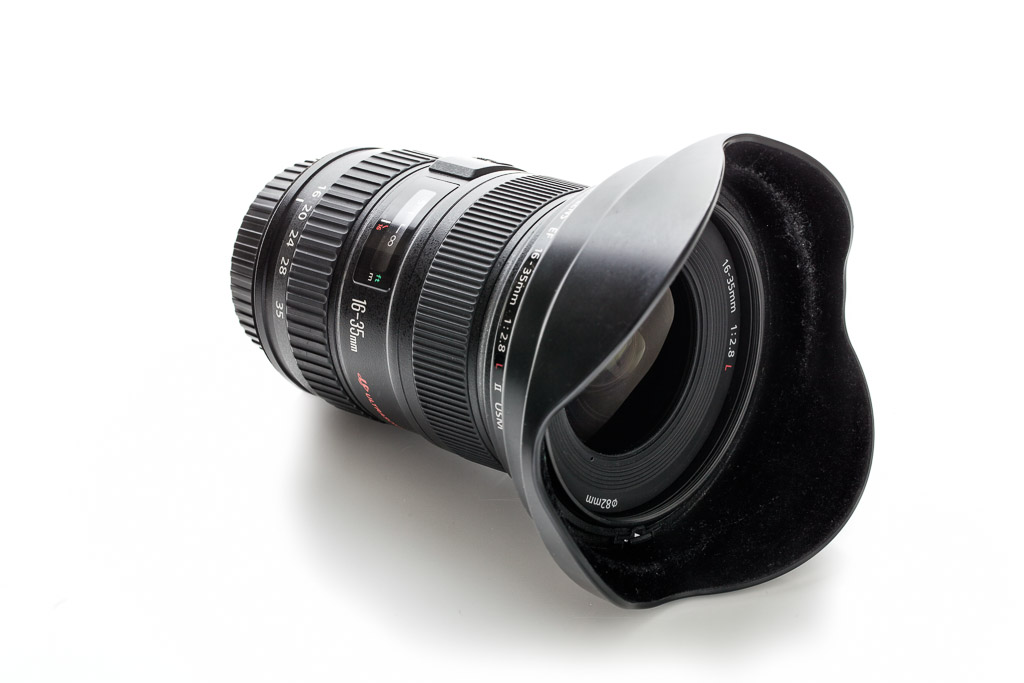
Review – Canon EF 16-35mm f/2.8L II

Review – Canon EF 16-35 f/2.8L II
By: Justin VanLeeuwen 

Wide angle lenses tend to be an essential, if not fairly niche, part of a photographer’s kit. The distortion caused at the extreme edges of the frame can have both a positive and negative effect on the results of an image, and thus should be used sparingly and selectively. Part of the Canon “holy trinity” (complemented by the 24-70 f/2.8 L II, and the 70-200 f/2.8 L IS II) of zooms, the Canon EF 16-35mm f/2.8 L II USM represents the pinnacle of Canon’s wide-angle zooms. For the longest time, I’ve been using a close Canon alternative, the 17-40 f/4 L. At half the price and quite a bit lighter it was actually my very first lens, ever. Obviously I was curious to see if the wider aperture, the slightly wider focal length, the added weight and cost were worth an upgrade from a lens that has worked very well for me up to now.
EF 16-35 f/2.8L II
Canon EF 16-35mm f/2.8L II

Build
While this won’t be a straight compare-and-contrast of the 16-35mm vs. the 17-40mm, I think it’s important to note some of the more stand-out differences. Of course, the first thing I noticed was the weight. At 640 grams, it’s slightly heavier than the 17-40′s 470g. It’s not a huge difference, but remember, I’m incredibly used to the 17-40 so it was noticeable. The added heft does give it a good balance on my 5dMKIII with grip, and it was pleasant to use all day during some events I covered. I’ve mentioned in other reviews that 82mm is the new 77mm and with the 16-35 was the first to introduce that filter size in the lineup. I’m not afraid of using circular polarizers on lenses this wide, though you will have to be careful with what type you choose, as any filter that is too thick will definitely cause vignetting at the corners on a full-frame body at 16mm.
5D Mark III, 16mm, f/6.3, 1/125th ISO 50
The rubber focus and zoom rings were smooth and well-proportioned to the size of the body. Mine was a rental unit but didn’t show any signs of being loose. A rubber gasket at the mount makes this lens weather sealed (though a front filter is required to *fully* weather seal the lens). The 16-35 is built to last and work in the most trying of environments.
Image
The Canon 16-35mm f/2.8 L II is Canon’s flagship full-frame wide-angle zoom. Only the 14mm f/2.8 L is wider and as fast (the Canon 8-15mm fisheye is wider, but the fisheye adds a different level of distortion and it is f/4). As such, we’d expect it to have the best optics Canon has to offer. I found images to be relatively sharp wide-open at the centre (something I cannot say is true for the 17-40 f/4 L) and definitely sharpened when stopped down a stop to f/4. A tricky thing to accomplish with wide-angle lenses is an effectively blurred background as the maximum focus distance is so close (hyperfocal distance can be achieved within 4 feet at about f/6.3). You really need a wide-open aperture and a close subject to be able to create a decent amount of bokeh.
Potential issues with all wide-angle lenses are flaring, softness of image and chromatic aberration (especially at the edges). While I did find some chromatic noise, I found it very well controlled considering the aperture and wide-angle. The lens also didn’t “flare out” like some cheaper glass I’ve used in the past; you can shoot into the light without having to worry too much about loss of contrast. Does it soften at the edges? Yup, but it also distorts heavily, elongating anything along the outer stretches of the lens. Great if that’s an effect you’re going for with sky, or landscape, or even architecture, but less than flattering for faces or features you’d rather see in proportion.
For the first time in a long time I didn’t find lens vignetting to be an issue. It is present, especially at the wider focal length of 16mm and wide-open, but it wasn’t as drastic as many primes and it improved as the lens was stopped down. There was some lens distortion when photographing straight objects but it was not a surprise and it was easily fixed in Adobe Lightroom 4.
Because this is a full-frame compatible lens (as are all “L” series), these factors vary depending on the crop factor of the body of your choice. How wide a wide-angle lens is changes if you’re shooting with an APS-C size sensor at 1.6 crop; where most of the lens faults and flaws are cut-off by your sensor, and your apparent focal length shifts to about 25-56mm. While I no longer use a crop-sensor camera, I did find those focal lengths useful when I did, especially for landscape and interior work. On a full-frame camera the sheer field of view can complicate your compositions, since there is so much to consider in your image.
5D Mark III, 16mm, f/6.3, 1/30th ISO 500
Who’s it for
This lens is a staple for photojournalists and wedding photographers. The fast aperture, great optics, and versatility of a zoom help them create compelling images in the tightest of environments. In a completely arbitrary collection of data, someone took a look at the EXIF information of all the cameras and all the lenses used by Reuters photographers in their “Best photos of the year 2012″ the Canon 16-35mm was, by far, the most used lens in these images. You can draw your own conclusions from this though: http://petapixel.com/2012/12/02/the-most-popular-cameras-and-settings-for-reuters-best-photos-of-the-year-2012/
When carefully wielded, the 16-35 makes a versatile group and environmental portrait lens. Just watch out for those edges of the frame, where distortion and stretching occurs. Keeping your subjects centred will help keep them looking reasonably normal. This is a great way to accentuate foreground objects, while allowing background objects to fade out into the distance.
I prefer to shoot interior photography at 24mm with my 24mm f/3.5 L Tilt-shift lens. I find 16 or 17mm too wide on a full-frame camera to accurately capture a space. The distortion at the edges makes rooms and objects seem much larger than they are, misrepresenting what I’m trying to accomplish. Of course, this can be used to your advantage in creative architectural photography, taking curves and lines and accentuating them.
5D Mark III, 16mm, f/8.0 1/160th ISO 320
Some landscape shooters may find the 16-35mm a versatile lens for outdoors, as Canon has not yet made a 14-24mm equivalent like Nikon has. It’s likely their best bet for ultra-wide angle shots. Like I noted with architecture above, it’s a matter of taste if you like the distortion that comes with 16mm. I should also mention that the 17-40 f/4L will perform just as well when stopped down to equivalent narrow apertures often used in landscape photography. If you’re shooting at f/11 I’d say the 17-40 is the smarter choice.
Conclusion
The 16-35mm f/2.8 L II beats my 17-40 f/4L in all aspects hands-down, except for cost. While I won’t find myself making the upgrade anytime soon, I did find the superior optics and faster aperture a boon in many situations I was in while working with the 16-35. The weight difference became less significant, and I actually mistook one lens for the other while packing my kit one day. I don’t always use a wide-angle lens and it’s use to capture more elements in a scene can be subjective. If you’re shooting on a crop sensor body and plan on making the switch to full-frame someday, you’ll definitely get a lot of value out of this lens moving into the future. Full-frame users who may be used to their “kit” 24-105 or 24-70 may want to rent or try the 16-35mm before they purchase it, since this level of ultra-wide-angle can be a shock for some first-timers. If cost is a factor I do suggest having a look at the 17-40 f/4L, while it distorts a bit more, is soft-wide open, and doesn’t have as shallow an aperture, it’s served me well from the very first shot I took with my digital Rebel XT.
5D Mark III, 18mm, f/4.0 1/25th ISO 1600
Pros
  • Wide-open fast aperture to capture more light & blur out backgrounds
  • Wide angle to exaggerate foreground elements
  • Great Optics across the focal range
  • Excellent wide-angle for both crop-sensor and full-frame bodies

Cons
  • Twice as expensive as Canon’s 17-40 f/4L (but with twice the “value” I suppose)
  • No Image Stabilization. Is that an issue for such a wide-lens? Nikon users have it, so heavy-coffee drinkers like me want it too!

sabato 1 giugno 2013

The Lowdown on the SpinLight 360® Modifiers – by Yishai Shapir

Yishai Shapir is a visual storyteller and photographer who is passionate about learning and sharing his knowledge about photography, video, computer hardware and software. He fell in love with photography twenty-two years ago when his son was born and started his career in special effects, founding a 3D animation & hardware company in Los Angeles called Motion Media. Yishai applied his vast technical knowledge and fascination with photography into inventing the innovative SpinLight 360® Modular System.
SpinLight 360 Modifiers

The Full White Dome vs. The Clear Dome

The main differences between the white dome and the clear dome (without bounce cards) are:
• The white dome will produce softer light than the clear dome.
• The white dome will block about 1-1.25 stops of the flash power.
• The clear dome will block about .25 stop of the flash power.
• The clear dome is more efficient than the white dome, requiring less flash power, which is beneficial when you need faster recycling speed.
• The white dome will attenuate the light from the center to the edges faster compared to the clear dome (see image below).
• The clear dome will evenly illuminate a larger area.
SpinLight 360 Modifiers
TIP: When shooting a large group where you need to spread the light as evenly and as widely as possible, we recommend using the clear dome, either with or without the white card, while tilting the flash slightly forward, not in the absolute straight-up position.
SpinLight360 Modifiers
When you use the flash head in the upright position with the SpinLight 360® and just a white bounce card (no modifier), most of the flash light will go straight up.  One of the advantages of the white and clear domes is that they spread the light as soon as it comes out of the flash tube onto the surface of the card, forcing more light to bounce against the card, which results in more light bouncing forward toward the subject.
SpinLight360 Modifiers
The image below was shot during the late afternoon, with a white card and the clear dome while the flash was in the upright position, at -1 flash compensation to enhance the skin tone and texture.  This resulted in a beautiful image that looked naturally lit.
SpinLight360 Modifiers

The Half Dome

The half-dome modifier is opaque so no direct flash will hit the subject.  Aiming the opening of the half-dome toward the card will force the light to hit the card, as well as the ceiling, and bounce the light forward toward the subject. We recommend using the half-dome outside or when you are in a location with no place to bounce.
SpinLight360 Modifiers
Another creative use of the half-dome is to rotate the opening of the half-dome toward the subject and use it as a gradual filter.  Using it this way will allow light to hit the subject directly from the dome opening, and block the light from the remaining area, creating a vignette in the location where the opaque part of the dome sits.  For instance, the half-dome was situated with the opening on top and the opaque part on the bottom, resulting in the vignette on the bottom as shown in the photo below.
SpinLight360 Modifiers

The Snoot

When using the snoot it’s important to understand the light pattern that comes out and hits the subject.  The shape of the light coming out of the snoot resembles more of a capsule shape than a circular one.  The orientation of the flash towards the subject will dictate the shape’s direction as demonstrated in the images below.
SpinLight360 Modifiers
This image was shot with the snoot and the flash opening pointed horizontally towards the subject.  As you can see in the image below, the light shape is horizontally elongated.  Another creative use of the snoot is to use it for accent lighting, strip lighting or side lighting for a portrait, mimicking a long narrow light source.
SpinLight360 Modifiers

The Grids

As you see in the image below the differences between the Black and White Grids are that the white grid has softer, feathered edges, while the black grid has harder edges, and the white grid loses about 1 stop of light compared to the black grid.
SpinLight360 Modifiers
Here are some examples of photos shot with white and black grids. The first image was taken with the white grid.  As you can see, the light attenuates from the center to the edges gradually.
SpinLight360 Modifiers
This image was shot with the black grid at the same setting as the previous image, without compensating for the additional stop of power.  As you can see in the image below, it’s overexposed by 1 stop.
SpinLight360 Modifiers
This image was shot with the black grid.  As you can see, the light attenuates more harshly towards the edges, creating more of a distinctive vignette.
SpinLight360 Modifiers
We recommend using the grids for a hairlight or if you want to call attention to the center of your image.
TIP: Keep in mind that all of the modifiers can be used with a gel at the same time.
TIP: Compensating the flash power depends on your flash manufacturer, and can range from -3 stops underexposed to +3 stops overexposed.  When the flash is “correctly” exposed according to the camera metering, especially in ETTL or a like mode, it does not necessarily mean you will get the desired result.  You must experiment, both under- and overexposing your flash power.  You will be surprised by the differences, especially when bouncing the flash.